Enter your information in the form « JOIN-US » then click on « Validate » to register with AdsPTp.
Login
Enter the current email and password you entered when registering on the form «LOGIN» then click «Validate» to connect to your «Member area» AdsPtp.
Member area
Once connected, you get on your «Dashboard» wherein there are four tables and a graph :
- Table 1 shows your points from the current month.
- Table 2 shows your number of sponsorship points from the current month.
- Table 3 indicates the total amount of your earnings.
- Table 4 shows the number of people you sponsored.
- On the chart «Current month points», the green bar indicates the number of points per day and the blue bar indicates the number of points earned by your referrals per day for the month.
All statistics of our advertising is calculated in real time !
How do I earn points??
In your member area, click on «Your links». On this page are the different advertising formats that you can place on your site if you are webmaster. If you have no site there is an «www.adsptp.com/id=» which happens to be your home page to promote in order to earn points.
Every time an ad is seen by a visitor you earn points visible on your «Dashboard».
Earn more with sponsorship !
With AdsPtp sponsorship, you earn 50% of the points of your referrals.
In your member area, click on «Sponsorship». On this page you will find the various sponsorship banners to place on your site, and members who don't have site your url sponsorship « http://www.adsptpcom/id= » to give to your friends and share (Facebook automatically add your referral link with a small text into your Facebook account).
Payment of earnings !
You can ask to be paid by Paypal or Payza from $10.
In the beginning of each month your points are converted according to advertising gains earned by AdsPtp and the total number of points earned by our members. If your account has reached the $ 10 minimum payment you can make a claim for payment on the page «Payment» in your member's area.
It is useless to ask the rate for 1000 points before the end of the month because AdsPtp is an shared revenue advertising network so the rate varies according to the income earned by adsptp from these members.
Advertiser
You want to advertise on AdsPtp.com? Register to access your advertiser space.
You can either announce to banner size (468x60,160x60,728x90,300x250) from $ 0.01 for 1000 impressions, or by siteunder from $ 0.10 for 1000 impressions.
You can credit your advertiser account with PayPal, credit card or your member earnings.
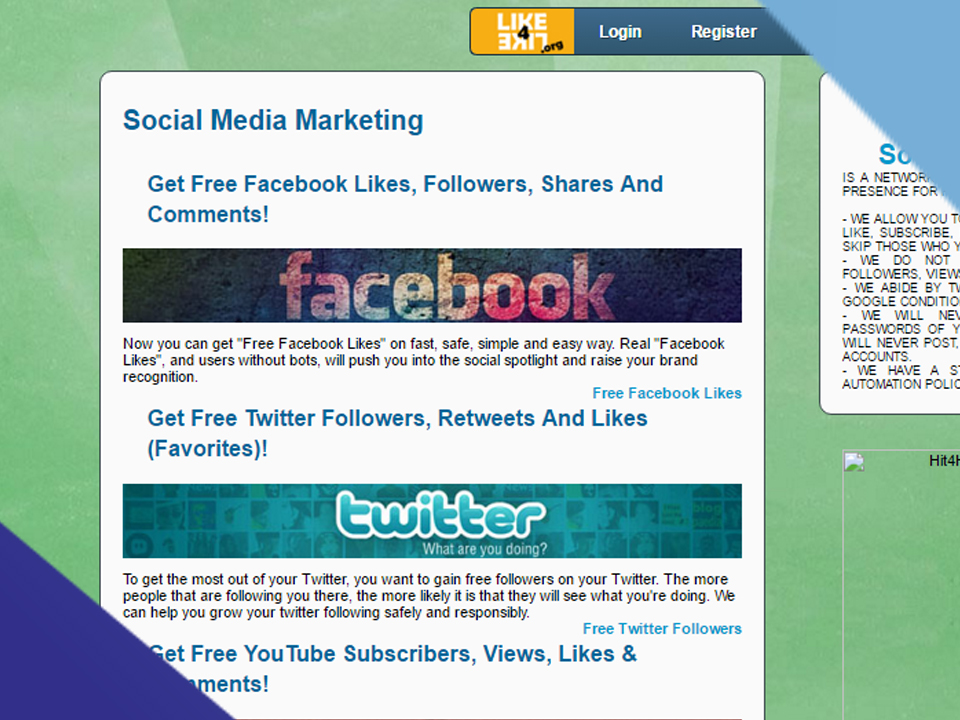
Not that long ago, I had experimented with a website called "Like4Like" for gaining YouTube comments, views, and subscribers. While I wouldn't recommend using their YouTube service for comments since the comments you'll receive are rubbish (more on that in a moment), I know that many of you will want to use their other service to make your accounts on various social media websites seem more popular. So, to help you properly utilise this service, I've compiled this list of tips for using Like4Like's services
4 Tips For Using Like4Like YouTube
Tip #1: Do Not Use Their YouTube Service For YouTube Comments. Ever.
I cannot stress how important it is to never use them for YouTube comments. Not only can the commenter post anything they want (including negative comments), they also post the same spam comments on every video. Why is this bad, you ask? Well, if you look at the image to the left, this is a screenshot I took of a YouTube video that was seeking comments from Like4Like YouTube. On almost every video that I clicked on that was seeking a YouTube comment, I saw these exact same comments (sometimes in the exact same order). These comments are usually trite, one word comments, or they are completely irrelevant to your video.
Another reason these YouTube comments will be useless to you is because they may not even appear on your video! Due to a recent update, comments that are posted repeatedly on different videos, contain spam, or contain dubious links (or sometimes any link will do) will automatically be "ghosted" by YouTube's system. What this means is that the original commenter will be able to see their own comment on the video, but the comment will not appear to anyone else.
Tip #2: Don't Overdo The Number Of Likes On Your Video
If you're going to use this site for YouTube likes, then you should be aware that there is such a thing as "too many likes" and "too little likes". For example, if you have a video with 20,000 views and 1 like, you might as well be wearing a sign that says, "Hey, I just bought $10 worth of YouTube views from Fiverr"! The same thing applies to a video with 20,000 views and 15,000 likes (or worse, a video with more likes than dislikes such as the one in the image to the right). To avoid having an artificial-looking video, I usually add 1 like per 40 views, although you can change this rule so long as the view to like ratio looks natural. Also, as I stated on Myth #2 of last week's article titled, Top 5 Marketing Myths That Will Ruin Your Business, You should make sure you add in 1-5 dislikes for every 200 likes to make your video seem more legitimate (or just let people naturally dislike your video as they normally would).
Tip #3: Only Use Like4Like's YouTube Views To Give Your Video An Initial "Boost"
What I mean by an initial boost is that you should only use Like4Like's views to get your video through the 301+ checkpoint . While using Like4Like YouTube to gain YouTube views won't get your video banned as quickly as buying bot views from an arbitrary website, procuring points on Like4Like YouTube in an "ethical" (without the use of bots or scripts) manner can be tedious and time consuming. So instead of spending many months making an endeavour to gather enough points for 100,000 views, you should instead gather enough points to get your video to 5,000 views. This is not only an easier goal to accomplish, but it will also help get your video ranked.
Tip #4: Don't Expect Like4Like Subscribers To Be Active.
Honestly, if you're expecting loyal and active subscribers from Like4Like, then you're in the wrong business. The only advantage of gaining subscribers from Like4Like is that you will only seem more popular, which may or may not cause other people to subscribe (it usually doesn't make much of a difference for me). Although, in my experience, it's better to gain subscribers naturally (i.e. people who actually like your videos) than to gain them artificially.
4 Tips For Using Like4Like Google+
The Like4Like website recently released 2 new features on their website: Google+ Shares and Google+ Circles. Because of this, this Like4Like for Google+ article will actually be split into 2 sections: Google Circles and Google+ Shares.
Tip #1: Don't Expect People Who Have Added You To Your Google+ Circle To Interact with You.
This is just a standard tip that I'm going to mention in all of the sections. You see, the people using Like4Like Google+ people will usually add you, but after that, you will never see them again (unless you look at your followers). So if you're looking to promote a product or service to Like4Like Google+ followers, you had better look elsewhere.
Tip #2: Like4Like Google+ Doesn't Always Work
Let me explain this further. If you are using Like4Like Google+ to earn credits on your account, then you will quickly realise that you will be sent to this page when trying to earn points. There are some links that ask you to manage one of your Google+ pages, although I'm uncertain about why Like4Like Google+ does this.
Tip #3: Don't Confuse Like4Like Google+ Circles With Like4Like Google+ Shares
Some people using Like4Like Google+ may be confused when they are brought to a page with a "follow" button.By simply glancing to the right (or scrolling down), you will find a solitary post which contains the share button you are looking for.
Tip #4: Like4Like Google+ Shares Doesn't Always Work
I ran into a similar issue that I mentioned in tip #2, except unlike the situation in tip #2, Like4Like Google+ Shares will sometimes display a blank page.It doesn't happen too often, but it does happen enough to be a slight annoyance.
4 Tips For Using Like4Like SoundCloud
Today's section is going to cover Like4Like:SoundCloud. Unlike previous instalments of this series, Like4Like SoundCloud only has 2 features on Like4Like: Followers and Listeners. To compensate for the lack of features, I will be giving tips on using Like4Like SoundCloud and the usual expectations of the results.
Tip #1: Playing Like4Like SoundCloud Audio Files Is Not A Good Way To Generate Points
If you're looking to generate points on Like4Like quickly using Like4Like SoundCloud, this method is not for you. The primary reason for this is because there are much faster methods such as following people on Twitter for points.
Tip #2: Don't Expect Like4Like SoundCloud Plays To Be Long
Similarly to Like4Like YouTube, Like4Like SoundCloud offers plays that last for around 30 seconds. While Like4Like SoundCloud users are required to play the file for 30 seconds, this does not mean they will actually listen to it (muted speakers). If you're just looking to increase your play count, then this option is perfect for you because it's not like an average SoundCloud user will be able to analyse every play.
Tip #3: Don't Expect Like4Like SoundCloud Followers To Convert
SoundCloud followers, while they do increase your follower count and make you seem more popular than you actually are, will most likely not listen to any of your tracks. If you're trying to sell audio tracks but you have Like4Like SoundCloud followers, you may want to consider gaining real followers through self-promotion rather than relying on the off-chance that a Like4Like SoundCloud follower will be a real person who genuinely enjoys your files.
Tip #4: Don't Expect Like4Like SoundCloud Followers To Play Your Audio Files
As with every sectione, this one also includes a tip about Like4Like followers not interacting with you in any way. As usual, these followers are just disposable accounts that are used to gain points on Like4Like. The only real use Like4Like: SoundCloud followers have is making your SoundCloud profile seem more popular than it actually is.
4 Tips For Using Like4Like Twitter
Similarly to Facebook, Like4Like Twitter has its own rules that you need to follow in order to keep your account active and seemingly legitimate. So, as with the previous articles, let's begin at tip #1.
Tip #1: Go Crazy With Like4Like Twitter Followers, Just Not Too Crazy
Don't literally go insane with your insane followers, but instead use Like4Like to get as many followers as you can (like the guy in the photo above). That's right, I'm actually encouraging you, the reader, to be a bit "reckless" for once. Unlike other social media platforms where it is imperative that you keep a specific ratio in order to avoid looking like you bought your followers, the only way another Twitter user is going to discover that you have fake followers is if they put on their little sleuth hat and track the activity of your followers. Thankfully, most people don't have that kind of software or time to do this, so the average Twitter user will most likely see your Twitter followers and think, "Wow, this guy sure is popular! I should follow him to hop on the bandwagon"!
Tip #2: Don't Expect Retweets To Have Any Value
The purpose of retweeting is to share the original tweet with other Twitter users. This is similar to a Facebook share since it gives credit to the original poster. This, however, has no real purpose when the people who are retweeting are doing it through fake or disposable account with no real followers. The only real value Like4Like Twitter retweets has is increasing
Tip #3: Like4Like Twitter Favourites Should be Close In Number With Retweets
As with the other sections, I always have a tip about ratio. This is because maintaining a natural-looking ratio is important to convincing non-Internet marketers that your page is popular. With Twitter, I've seen the ratio between retweets and favourites vary, so as long as you don't have 380 retweets and 1 favourite like the offender in the image above, you should be all set.
Tip #4: Don't Rely On Like4Like To Keep Your Twitter Account "Active"
There is a point where your Twitter page becomes so infested with fake retweets, favourites, and followers that the only way you can keep your page "active and growing" after each new tweet is by using Like4Like Twitter for more retweets, followers, and favourites. The more fake followers you have, the more fake retweets and favourites you'll have to get. I call this, "The Point of No Return", and you should avoid it at all costs
4 Tips For Using Like4Like Pinterest
When I was a new Clickbank affiliate (and new to Internet marketing in general), I often looked for new methods to increase sales. One such method was using Clickbank and Like4Like to make my Pinterest boards seem more popular. I, of course, no longer do this as there are many more profitable ways to make money on the Internet such as selling used gum, but I did make quite a few sales before I quit using Like4Like with Pinterest. So, to share my experience for those of you looking to use Pinterest and Like4Like, here is the third instalment to my Like4Like series titled, "4 tips for using Like4Like: Pinterest Edition".
Tip #1: Don't Expect Pinterest Followers From Like4Like Pinterest To Be Active
If you've read the other sections, then you would have already expected this. Pinterest followers, like Facebook followers and YouTube subscribers from Like4Like, rarely interact with you in any way. These Pinterest followers are often disposable or fake accounts created by other people in the Internet marketing business to do the exact same thing that you are doing. Think about it like this: more than likely, all of the points you have procured on Like4Like have been generated either through bots logged into a fake account or through you being logged into a fake account. Now do you really think that the other Pinterest followers are any different from you?
Tip #2: Avoid Getting Too Many Followers To Fast
This is a good way to let everyone know you have obtained followers by giving away a minuscule number of points is by have 8,000 followers. I would believe this more if the account owner had 11 boards, 3,000 pins, and 8,336 followers, but not just 8,336 followers as that's just too many followers and not enough high quality pins. Speaking of having too many followers…
Tip #3: Keep A Good Ratio Between Followers, Likes, And Repins.
A Good Example of a Bad Ratio
As exemplified in tip #2, having 8,336 followers and 0 likes makes it seem as if you bought your followers. Obviously you didn't, because you can just got them for free from Like4Like Pinterest, but that's besides the point. As a recommendation, use a 1:13 ratio with pins and followers respectively, as this is what I had noticed made an account look authentic. As for repins, vary them between 1 and 25, but keep it closer to 1 most of the time. Having exactly 25 repins on every pin just looks plain suspicious.
Tip #4: Don't Expect Pinterest Followers From Like4Like Pinterest To Buy Your Affiliate Products
If you're using Like4Like Pinterest, you are most likely 1 of 2 types of people: An affiliate marketer or someone desperate to seem popular. More than likely you're an affiliate marketer, so this is just a warning for you: Pinterest followers from Like4Like will not buy your affiliate products. Don't get me wrong, you can certainly make money as an affiliate marketer using Pinterest (I did it). You can't, however, make money off of inactive Pinterest followers.
4 Tips For Using Like4Like Facebook
This section's focus will be on using Like4Like Facebook for Facebook comments, likes, shares, and followers. While most of this information may seem like common sense to some of you, I've seen many people struggling to comprehend a lot of this information. So, without further ado, let's get to tip #1!
Facebook Tip #1: Be Prepared For Foreign Comments
Many of the comments you receive will look similar to the comments in the image to the left. If you do, however, only want to accept comments from the United States (or the country you're from), then:
Be prepared for a longer wait to receive United States or at least English comments
Be prepared to receive irrelevant or one-word comments such as "LOL" or "cool"; these seem to be very common.
Unfortunately, in the case of number 2, there is no way to prevent receiving these comments (other than simply deleting them) as most people on Like4Like Facebook are only commenting to receive points that they can use of their social media page. If you're looking for a way to receive comments that look genuine, then I suggest you ask (or pay) people personally, or hope that you receive a decent comment
Tip #2: Only Use Likes If They Will Blend In With Current Likes
If you're using their Facebook likes, you should know that your friends or fans will know something is amiss when you're suddenly getting 100+ likes per post from arbitrary people you don't even know. While I've never heard of anyone getting banned from Facebook likes through Like4Like (since they aren't technically "fake" if they're coming from real people) I still wouldn't rule it out as a possibility. Even though the chance of you getting banned from Facebook for doing this is highly unlikely, what I recommend doing to make these fake likes seem more inconspicuous (if you're paranoid about getting banned) is to only use a few fake likes on Facebook posts or pages that already have at least a few likes.
Tip #3: People Will Know If You Have Fake Followers, But Only If They're Sleuths.
And by sleuths, I mean if they actually bother looking at your list of followers. Most people will not go through the effort of checking the location and activity of all of your friends to determine whether or not you're buying followers, although never doubt the persistence of the people on Facebook! All it takes is one person with too much free time on their hands to check and report your Fake Facebook followers and report you for buying followers, thus resulting in your account being banned.
Tip #4: Facebook Shares Are Pointless Unless You're Only Getting Them To Look Popular
When somebody from Like4Like Facebook shares your Facebook content, chances are that they're using a displosable Facebook account to share your content. What this means is that whatever they share will not be seen or shared by their real friends. However, if you're looking for Facebook shares just to make you or your content seem more popular on Facebook, then this service would be a bit more useful to you.
How Many Views Does it Take to Make Money on YouTube?
You don't make money based on the amount of views you have. You make money based on people's engagement with the ad. Engagement here means clicking or watching a ad for more than 30 seconds. YouTube Advertising is managed in the Adwords platform. Advertisers choose ads on a Cost Per Click (CPC) or Cost Per View (CPV) model.
Types of Ads
Cost Per Click (CPC) CPC is when an advertiser pays money based on clicks. So if a certain keyword has a CPC of $3 and someone clicks on that ad, it will charge that advertiser $3. These text ads pop up in the lower part of the screen during the video and can also show up as a square banner on the right side of your channel.
Cost Per View (CPV) CPV is when an advertiser pays money based on views. A view for the advertiser means someone watches an Ad for at least 30 seconds or half of the ad; whichever comes first. That person could click that ad 50 times but it still wouldn't charge the advertiser more because they're not paying for the click, they're paying for the view.
TrueView: Pre-Roll, In-Search & In-Display Ads
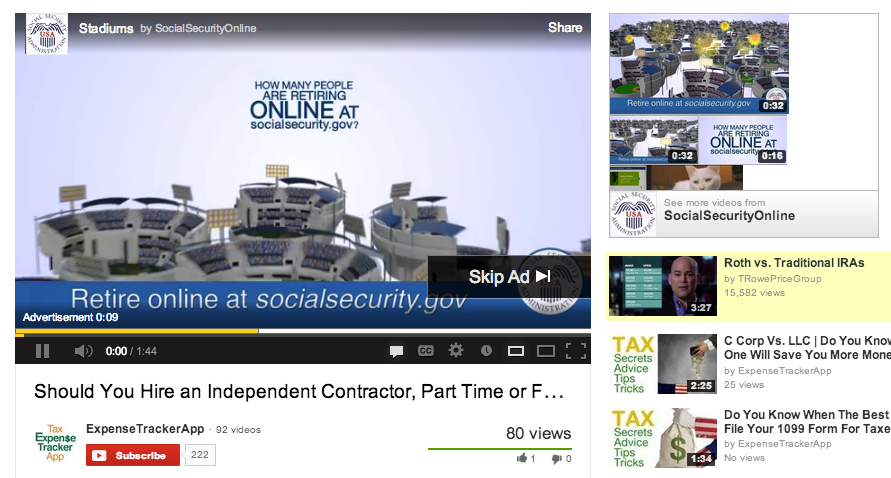
Pre-Roll Ads are the ads that act as a preview before the video starts and viewers can skip it after 5 seconds.
In-Search Ads show up in the search results and are surrounded by a light yellow box.
In-Display Ads show up on the right side of YouTube in the suggested video area
* There are also third party pre-roll ads that force users to watch for a certain amount of time. Since these forced don't apply to the majority I'm leaving them out.
Advertisers only pay when someone clicks an ad or watches for 30 seconds. This is why you can't tie your channel views to dollars. If your video gets ten million views but nobody watches or click the ads, you don't make any money. This is how I'm able to make $1 per 25 views. Advertisers pay big money to get their ad in front of specific and targeted audience.
One of my YouTube Channels happens to provide valuable video content for this specific audience. This channel teaches business owner how to organize their finances, track their expenses and save money on taxes. Any company who is trying to reach business owners would love to place their ads on my channel because we both share the same demographic. The people who view my channel are their potential customers.
How Can You Make More Money on Your YouTube Channel?
There are a couple of easy steps that you can implement right now that will make you more money per view. The first thing you need to do is…
1. Take a Sniper Approach
Advertisers want targeted YouTube channels with a defined demographic. They'd much rather place their ads on a specific type of person than a random user. Think of this as a narrow sniper approach vs the wide spray of a shotgun.
Make your videos with a specific type of person in mind. This is basic advertising 101; identifying your target demographic. Don't tell me that your demographics are 21 – 55 year old women. This is the shotgun approach that's too general and vague. Do you talk to a 21 year old girl the same way you'd talk to a 55 year old lady? Of course not. Define your audience and create videos that's catered to them.
2. Target KeyWords with a High CPC
Understand this, Certain KeyWords Pay More than Others. Advertisers will pay more for the keyword, "home mortgage" (CPC $17.63) than "cheap phone cases" (CPC $1.38) because the end return is a lot higher. If someone ends up closing on a home loan that could make them upwards of $5,000+, whereas the end return on a cheap phone case would only be $15. Would you rather get paid from a phone case video that gets a million views with a CTR of 0.01% or a home mortgage video that only gets 10,000 views with a CTR of 0.08% ? Consider the scenarios below with the given keywords and their cost per clicks.
Scenario 1 You make a video reviewing the new iPhone that gets 1,000,000 views, of which your ad Click Through Rate (CTR) is 0.1%. Meaning 1,000 people clicked the ad. If the CPC is $1.38 the total advertising dollars made would be $1,380. Google keeps around 45% making your payout $759. This gives you $1 per 1,317 views
Scenario 2 You make a video teaching people about home loans that gets 10,000 views, of which your ad Click Through Rate (CTR) is 0.8%. Meaning 80 people clicked the ad. If the CPC is $17.63 the total advertising dollars the total advertising made would be $1,410. Google keeps around 45% leaving your payout $776. This gives you about $1 per 13 views.
These scenarios are exaggerated to show the point. The money you make on YouTube has more to do with what advertisers pay for than how many views you get.
This knowledge is essential is to make the most amount of money per view. If you have a very targeted niche that contains high CPC keywords, you don't need millions of views to make money. Getting a couple hundred views a day could bring in a couple hundred bucks a month!
We had seen the differences between AdSense and affiliate programs (check the ways of making money and the difference between AdSense and affiliate programs). Like I said, AdSense won't be helping you immediately after setting your blog, but affiliate programs does. They will encourage you to continue your writing and you will not get disappointed like most do. The thing is most of the bloggers expect to earn immediately after starting their blog, and unfortunately you can't expect AdSense to help you in this regard. Building traffic and getting some money from AdSense is a time taking process and you need to be really patient and consistent.
During this process many people get frustrated and therefore stops blogging. So, I therefore suggest you to start with some affiliates. Flipkart is wide-spreading in India. It's one of the largest online product selling website. According to Alexa Rank, Flipkart is one of the top 10 most searched online websites in India. Earlier, I never used to buy anything online, but now I have been ordering many books and gadgets from Flipkart, such is their service.
So, If we include their ads, then most likely we may earn some money at least in the beginning. They will pay you from 8% to 15% of the actual product cost. I had already discussed similar article about - How to add Amazon affiliate ads to a blog. Here we will see how to add Flipkart affiliate ads in a blog.
Step - 1
Sign up to Flipkart Associate account. If you already have one, then sign in to your account. And enter the following information :
personal details
Contact number
Website/blog information
Your Bank account details
Step - 2
After doing the formalities, you will be landing in a page as shown below. Scroll down to see Affiliate tools section in left bar as shown below.
OK, here are some suggestions on selecting a widget for your blog Flipkart offers zone - These are banner types which show only texts like "Exciting offers like clothing ....." They don't show any specific product.
Bestseller widgets - These are rectangular or square ad boxes which show a specific product, especially a gadget with some offers, these do great in blogs. But only few (minimum four) product offers are allowed.
Featured Deals widgets - These are more or less similar to bestseller widgets.
Product links and banners - allows to browse for a specific product and put that as ad in your blog. But these are very small badges and are of least useful. Google recommends banners of sizes 250 X 250, 300 X 250, 728 X 90 leader boards or 160 X 600 vertical banners because they do performed well.
Static banners - As the name says they are static with a general information like 'offers', 'fresh deals' etc
Search bar are just a bar that can be placed in your blog so that users can search for a product in that bar. I hope, this have little or no use.
Multi Product Banners - I likes this kind off banners mostly, They are simple and allows us to select a specific product to display the same in our blog.
Step - 3
Lets assume that you wish to put 'Multi Product Banners' in your blog. Click the link 'Multi Product Banners' as shown in the above picture.
Then you will see the below display. Select your choice. Say you want to put a vertical banner, then check Vertical and then select the number to products to show; either three, two or one (I will consider three here), then click Continue.
Step - 4
Clicking this will display 'Search Products to display' as shown below. Type a product that you want to show, say Ipad mini and then select the category 'Mobiles' in the drop down menu next to the search bar as shown. Click Search.
Doing this will display a list of available products with the name 'Ipad mini, Now choose a product that is more attractive, mostly bought by users and with low cost (offer price) and click 'Add Product'
Step - 5
Your selection will appear below the search tab as shown below. Like this select at the most three products. You may select different categories too. For instance, I took a tab, a book and ladies wear as shown.
Women products like clothing, shoes, beauty, health and some products like electronic gadgets are the one mostly preferred in online purchases. Research found that percentage of online purchases by women are more compared to men's purchase. So, do target including ads for women. But this may not work always, it depends on your blog's content and niche. If your blog is say about an exam or education, then prefer to include books that is more related to your topic.
Step - 6
Ok, once you select your desired products, scroll to the bottom of the page to find 'Continue' button. Click that.
Step - 7
After you click the continue button, you will see three formats of header 'Flipkart', select any one color. Then click 'Review Banner'. Sometimes by clicking this, you may get a horizontal banner, If so close the banner and scroll to the top of the page and then check 'Vertical' link again, then scroll down and click 'Review banner'. You should now be seeing the below shown display.
Step - 8
If you are satisfied, close that and click 'Get Code'. A pop up display will appear with the code, copy that.
Step - 9
Log in to your blogger page and go-to blog > layout > Add a Gadget as shown in the picture.
Step - 10
By clicking Add a Gadget will display a list of available gadgets, scroll to see 'HTML/JavaScript', click that. Then you will see a pop up window with a space for content. Paste your code there and click save changes. There is no need to give title to that ad. Click 'Save'
If you wish to re-locate the ad, drag it to the desired location and then click 'Save changes' in the blogger layout. Now view your blog only to see the ads displayed in the side bar ! That's it you are done.
Hope this helps. Feel free to share your thoughts and suggestions by posting a comment below.
Sharing is caring. Like us in social networks to get updated with latest posts. Subscribe to our free mail service in RSS feeder.
This article editor in chief tool will scan through your content for words that will get replaced with a word. All words that ar replaced with associate alternate selection ar aiming to be highlighted in daring and vibrant text. you will be able to click on that word to revert to the initial, understand totally different prompt words, or add your own.
How can This Tool Be accustomed prove Quality Content?
We've further over 5 hundred,000 new synonyms to spice up the tip value of this text editor in chief, with the aim of rising articles by providing higher words or phrases. Any author can tell you that- typically, you grind to a halt creating a trial to look out "that glorious word "
Likewise, it should even be used as a piece spinner; to make another version of a piece that is distinctive enough to pass a plagiarism checker. It's a double edged blade, therefore use at your own risk!
Here's some tips to make bound that if you use this tool for computer program improvement functions, it won't backfire. (Because if you publish inferiority content, it will backfire!)
1. begin with a prime quality article. this means a completely unique topic or viewpoint on a extremely specific topic. the information ought to be valuable to somebody's reader. At currently in time, it's unworkable for any code package program to produce content that is collaborating. If you start out with AN occasional quality article, space unit|likelihood is that|likelihood is|chances ar high that} high that the alternate versions are becoming to be even worse
2. flick thru the prompt Article Rewrite with human eyes. can it build sense? you may catch several replacement words that won't work the context. If you don't feel it reads well, click Rewrite all over again for a replacement version. If none of the alternate words work, attempt driving the initial word to trigger new suggestions.
3. we've an inclination to advocate running the final word results- once you're satisfied- through the Plagiarism Checker Tool merely to verify it's distinctive enough to pass the plagiarism tests utilized by search engines before you publish on Infobahn.
4. we've an inclination to do not advocate victimization this tool to produce multiple versions of an analogous article to publish "spam". Not only is that this punished by search engines, but it offers nothing necessary to your audience either.